





Forums Index >> Skins >> How do I.....
Page : <1> :


Here's how. You find a skin you want, and there should be a flat layout version. It should look somthing like this:
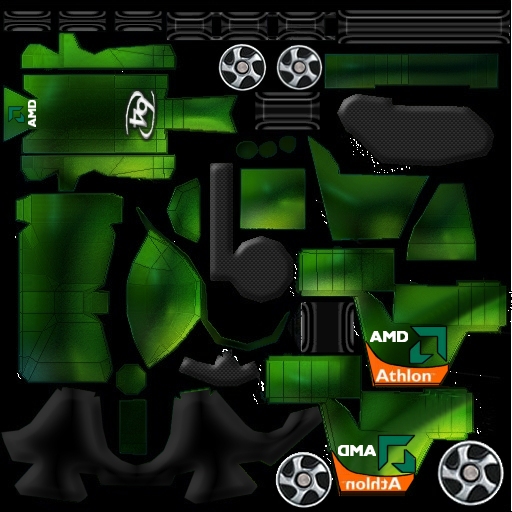
When you find one you like, right click on it (this is for IE) and in the menu that pops up, click on Save Image As. Save it to your ThinkTanks directory, usually C:\Program FilesBravetreeThinkTanks. Then go to gamedatashapes anks and save it as tank01.jpg.
Save it as tank01.jpg for light
Save it as tank02.jpg for medium
Save it as tank03.jpg for heavy
Save it as tank04.jpg for UFO and boss
Ive also never been in a game where someone has a skin
That's because skins are client side only. Only you can see the skin you are wearing.

Last edited: Wednesday, October 12, 2005 at 1:20:10 PM


Ok im going to go try it know thanks alot
 - TT....my anti-drug. -
It works thanks alot!
- TT....my anti-drug. -


I haven't seen this skin. Pretty Cool!!! (except for the white specks). ;)

OK one more quick question!
Can you have more than one skin for a tank like in the choosing your tank screen and how do u download the brain jar and other items such as the aim?
Thanks alot!
- TT....my anti-drug. -
Last edited: Wednesday, October 12, 2005 at 1:50:28 PM


That's because skins are client side only. Only you can see the skin you are wearing.
What if some1 else also has it? Would theirs show up?
No. You cannot see others skins.
@Rabban,
Yes, there is a preveiw of that skin in my thread.
Page : <1> :


 : :
: :

How do I put skins on my tanks? Please dont give me the link to the skining resource or watever its called..Ive also never been in a game where someone has a skin.....why?
Thanks to anyone who can help