





Forums Index >> Skins >> My First Skin!!!
Page : <1> :


Try with a blank layout
 Pray to GOD for him to reveal himself to you.


.... Dude.... Dont dis the skin.

Nice, actually...


.... Dude.... Dont dis the skin.
You splotched it with black splotches lol.... Good for a starter I guess
Its Camo!!! You never know when youll be in a dark woods in TT!
Seriously... Im using gimp...and dont know how to make nice skins....
Then use fill effects. Gradients. Hint: make a layer using a blank tank skin and set the layers to Multiply. Instant mask!
Last edited: Monday, September 12, 2005 at 4:27:14 PM
Ok tell me if this is any better
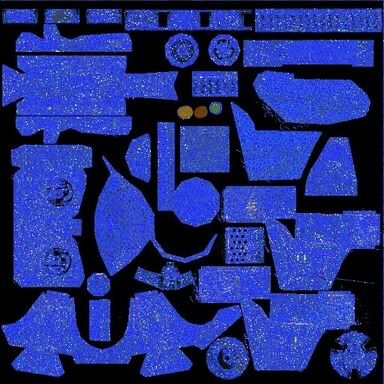
Needs resized I know
Check out my skinning thread... ISkins. Simple to advances skins for you ispir-ation ;)
Pardon my rudeness, I cannot abide useless people.
How do I make masks and stuff? Any 1 who has gimp help.
New layer, should be completely black&white, set it to Multiply in the Layers box.
Ok I got that done but how I change colors and stuff?
Make another layer and paint there.
Yes but how do I CHANGE colors to the brush?
And Change color to text?
(bty thx for helpin.)
Last edited: Tuesday, September 13, 2005 at 12:58:00 PM
Wait a sec, you're using GIF files, arfen't you? Try PNG or JPG instead. GIFs can only have 256 colors.
All Finished but its to big to upload it....any way to compress and stuff?
Zip it. Either that or StuffIt. B) lolz0rz... If it's a GIF, MAKE IT A JPEG! GIFs aren't compressed by other apps.
Its a.jpg
OK, then either StuffIt or Zip it. B)
Page : <1> :


 : :
: :

I really hope u like it its called my Camo Skin